
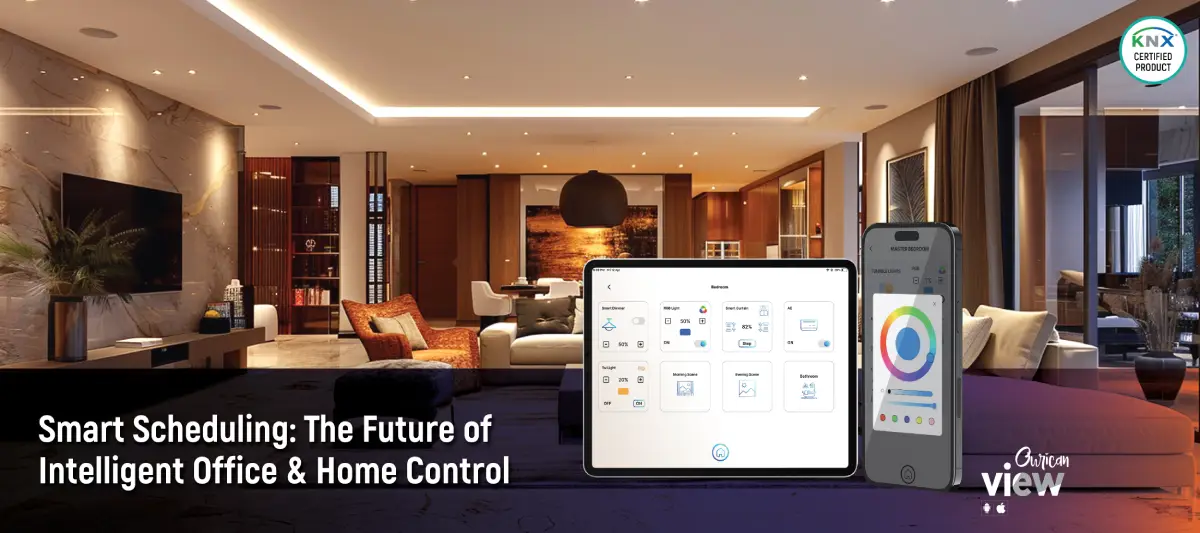
Smart Scheduling with Ourican View: Redefining Home & Office Automation
Introduction
Welcome to the future of effortless living with the Ourican View Smart App. In this blog, we’ll explore one of the most powerful features of KNX home automation, Smart Scheduling.
From managing daily routines to automating complex operations, scheduling ensures that your smart home or office operates exactly as you want, without needing to call an engineer for every adjustment.
Let’s dive into why this feature is a game-changer, how it works and how you can integrate it into your daily life for maximum convenience.
Why Scheduling Matters in KNX Home Automation
You might be thinking, “I can already control my lights and AC from the app. Why do I need scheduling?”
Here’s why:
- Automation Saves Time: Instead of manually controlling devices repeatedly, set rules once, and let the system handle the rest.
- Total Flexibility: With Ourican View, users can schedule unlimited tasks for any device, at any time.
- No Dependency on Engineers: Traditional KNX setups often required calling an integrator for changes. With the Ourican View scheduler, users can create, edit or delete schedules directly from their smartphone.
- Perfect for Routines: Whether it’s a morning wake-up scene or an energy-saving night mode, your home or office adapts to your needs and lifestyle.
With these capabilities, scheduling isn’t just a feature, it’s an upgrade to your lifestyle.
The Setup: Ourican View + KNX
The Ourican View Smart App, integrated with the MES-IP-SERVER module, works seamlessly with the KNX-based home automation system, allowing users to take full control of:
- Lighting Control: On/Off, dimming, warm-cool light tones
- Air Conditioning: Temperature, fan speed, swing control
- Ceiling Fans: Controlled via MES-CFC-4PRO
- Curtains & Blinds
- Scenes: Grouped automation actions for seamless control
With scheduling integrated into the app, you can program these devices to work in perfect harmony, whether it’s day or night.
Real-World Use Cases of Scheduling
Here are some practical examples of how our clients use Ourican View Scheduling:
–> Morning Wake-Up Routine
- Trigger: 6:30 AM
- Action: Lights gradually turn on with a warm dim glow, AC adjusts to a comfortable temperature and the geyser turns on.
- Result: You wake up naturally, without the need for harsh alarms.
—> Office Energy Mode
- Trigger: 9:00 AM (Weekdays)
- Action: All lights in office zones turn on; AC is set to the optimal temperature and fans activate.
- Result: Employees enter a fully prepared workspace without wasting time.
—> Evening Relaxation Scene
- Trigger: 8:00 PM
- Action: Living room lights dim to a cool tone; AC shifts to eco mode, blinds close for privacy.
- Result: A calm, cozy atmosphere for family time.
—> Unlimited Event Scheduling
Unlike many systems with fixed limits, Ourican View lets you schedule as many events as needed. Want lights to dim every evening at sunset or multiple fan speed changes throughout the night? No problem.
Edit Anytime, Anywhere
Had a change in your routine? With the Ourican View app, you can easily adjust schedules:
- Modify schedules instantly from your phone
- Pause or delete schedules with just a tap
- Duplicate schedules for multiple devices
- Combine multiple functions from different sections of the app into a single scheduled scene
Scheduling has never been so flexible.
How It Works – Inside the App
Here’s how easy it is to schedule tasks using the Ourican View Smart App:
- Open the Ourican View App.
- Select the function or scene you want to schedule.
- Set the time, days and actions (On/Off, dim, fan speed, etc.).
- Name and save the new scheduled event.
That’s it! You’ve created a fully automated event. Want more? There’s no limit to how many events you can schedule.
Final Thoughts
Scheduling with the Ourican View Smart App transforms KNX home automation from basic control to intelligent, seamless living.
- No more repeated manual operations.
- No more dependency on integrators.
Simply open the app, set your routine, and let your home or office follow your lifestyle effortlessly.
With unlimited scheduling, complete flexibility and user-friendly control, Messung Ourican delivers industry-leading solutions designed for you.
Smart living isn’t about more buttons, it’s about fewer worries and that’s exactly what scheduling with Ourican View provides.